Dynamic color schemes
Dynamic color can change a color palette to match user settings, like wallpapers, or in-product content
Choosing a source · User-generated source · Content-based source
Content-based color comes from in-app content, such as an album thumbnail image, logo, or video preview.
Like user-generated color, the image is digitally analyzed through quantization, a single color selected as the source color, and tones are chosen and assigned to each color role.
With a dynamic content-based color scheme, end-users see
- The product (and possibly system UI) change to a color corresponding to on-screen imagery
- A product that looks "smart"
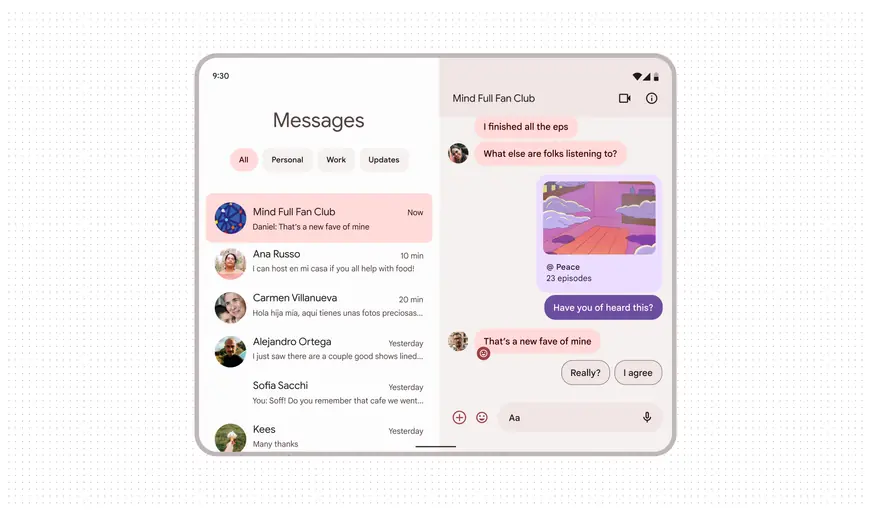
Messaging app with content-based color
Design with content-based color
- Apply content color in apps and areas where it can enhance brand identity and convey the spirit of personalization.
- For example, a music app might derive color from a specific album’s artwork to build upon the personal connection to a music library. For a news feed, content-based color may be applied from a given publication to differentiate brands and help users navigate the platform.
- In-app content provides a color source for any content-based color scheme, and can be applied within a specified area of an app, such as a set of components or a particular screen.
- Get started: Use the color tokens and roles built into the Theme Builder. Check that the preferred scheme is selected when using Material Theme Builder to create color schemes from images.
- Explore advanced customizations
Develop with content-based color
- MDC-Android – Content-based dynamic color