Lists
Lists are continuous, vertical indexes of text or images.
Overview · Specs · Guidelines · Accessibility

- Use lists to help people find a specific item and act on it
- Order list items in logical ways, like alphabetical or numerical
- Keep items short and easy to scan
- Show icons, text, and actions in a consistent format
- Choose between standard and segmented styles
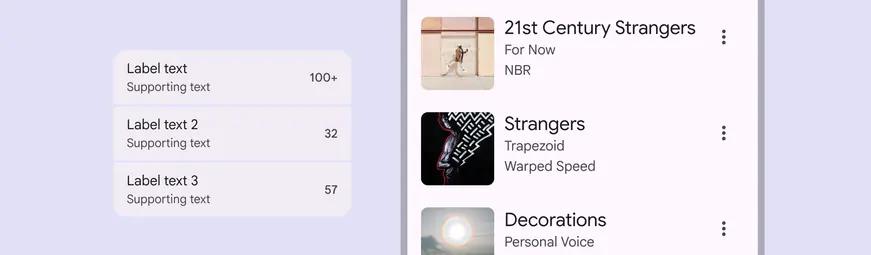
A list item's label text, supporting text, image, and trailing icon can be customized to create a variety of lists
Availability & resources
| Type | Resource | Status |
|---|---|---|
| Design | Design Kit (Figma) | Available |
| Implementation | Flutter | Available |
| Implementation | Jetpack Compose | Available |
| Implementation | Jetpack Compose: Expressive | Available |
| Implementation | Android Views (MDC-Android) | Available |
| Implementation | Android Views (MDC-Android): Expressive | Available |
| Implementation | Web | Available |
| Implementation | Web: Expressive | Unavailable |
M3 Expressive update
Lists have a new segmented visual style, improved selection treatment, and support for slots. More on M3 Expressive
December 2025
Variants:
Added expressive list
- Recommended for new designs
- List (baseline) is still available
New visual styles:
- Standard or segmented
- Highlighted selection states
- Flexible slots
Supported platforms:
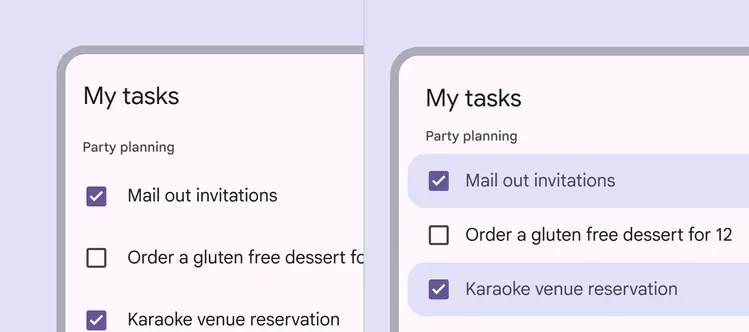
Expressive lists feature improved selection states
Differences from M2 to M3 baseline
Color: New color mappings and compatibility with dynamic color
Layout: Padding and spacing rules are updated to be more consistent
Height: The tallest element within a list item determines the list item’s height - either 56dp, 72dp, or 88dp
Alignment:
- In most cases, elements in a list item are middle-aligned
- If a list is 88dp or larger, or contains three or more lines of text, elements are top-aligned
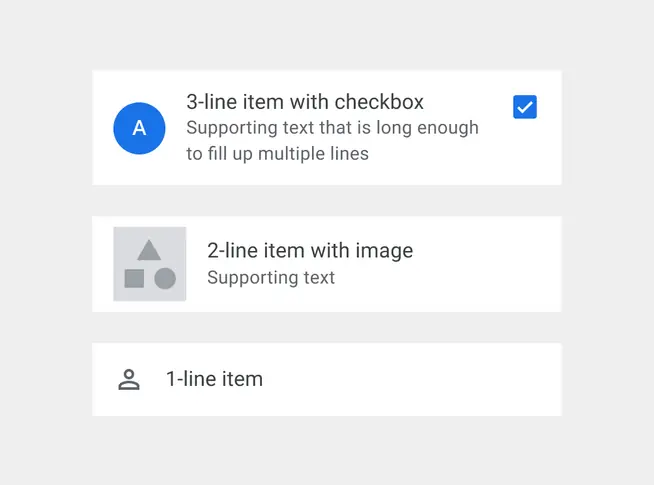
M2: Non-standard heights and alignments
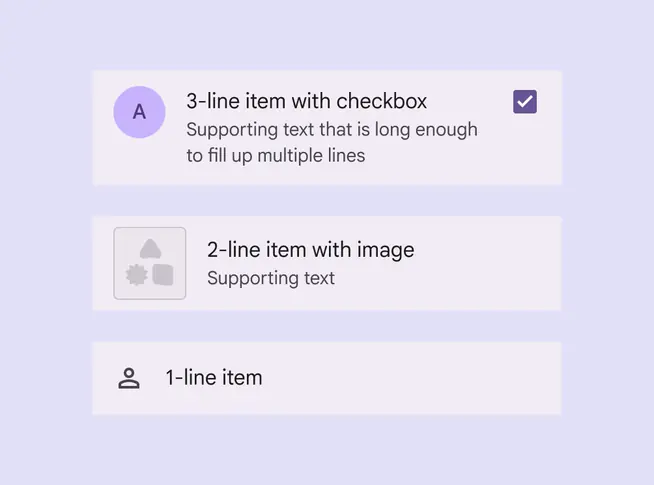
M3 (baseline): Standardized heights and alignments