---
url: /styles/color/advanced/overview.md
description: >-
Apply, define, or adjust colors to create a fine-tuned, unique color
experience
---
# Advanced customizations
Apply, define, or adjust colors to create a fine-tuned, unique color experience
**Overview** · [Apply colors](apply-colors.md) · [Define new colors](define-new-colors.md) · [Adjust existing colors](adjust-existing-colors.md)

From changing a component’s default color mapping to creating additional color roles, advanced customizations fall within one of three general actions: applying, defining, or adjusting colors.
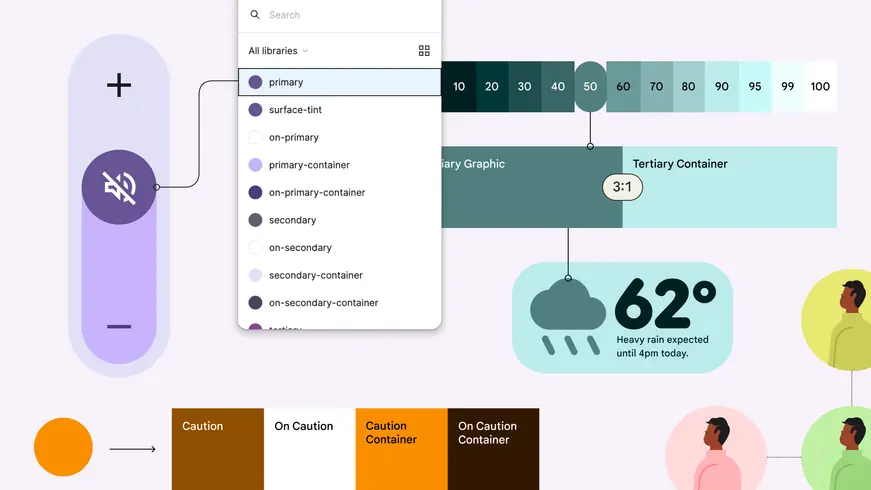
Advanced customizations include the ability to remap colors on components; define new colors in addition to the scheme; define custom color roles; and apply dynamic color to imagery.
## Apply colors
You can apply colors in places or ways that aren’t provided by default.
[Combine multiple color schemes](apply-colors.md#5ceacf6b-364e-4dab-83db-299c691cb21d)
Use multiple color schemes in the same app experience, such as a baseline scheme combined with a dynamic content-based scheme.
[Map or remap colors onto UI elements](apply-colors.md#d15f5373-c03b-4282-a309-db569975d395)
Change a component’s default color mapping, or apply colors to your own custom components.
## Define new colors
You can add colors to your color scheme, extending the default color roles.
[Define static colors](define-new-colors.md#f13116d1-3023-44b9-b0b5-2ee07dc1af5f) (formerly known as custom colors)
Add colors to a dynamic color scheme that stay static, which are useful for semantic colors.
[Define custom color roles](define-new-colors.md#baed14ce-4be8-46aa-8223-ace5d45af005)
Create new color roles to use alongside the 26+ standard color roles.
## Adjust existing colors
You can control the color algorithm’s output to adjust the appearance of dynamic colors.
[Define your own baseline scheme](adjust-existing-colors.md#c6810874-a320-4684-8df6-3869887ea49c)
You can input colors to define your own baseline scheme.
[Define your own dynamic scheme](adjust-existing-colors.md#e169ea0f-a190-4cd1-b0d4-4e3616964129)
You can define color algorithm rules to produce your own custom dynamic scheme.
[Use color fidelity](adjust-existing-colors.md#cb49eeb4-3bbd-4521-9612-0856c27f91ef)
You can apply color fidelity to make scheme colors better match your input colors.