---
url: /components/search/overview.md
description: >-
Search lets people enter a keyword or phrase to get relevant information.
Search bars can display suggested keywords or phrases as the user types.
---
# Search
Search lets people enter a keyword or phrase to get relevant information. Search bars can display suggested keywords or phrases as the user types.
**Overview** · [Specs](specs.md) · [Guidelines](guidelines.md) · [Accessibility](accessibility.md)

* Use search for navigating a product with queries
* A search bar can include a leading search icon, hinted search text, and optional trailing icons
* Search can display suggested keywords or phrases as a person types
* A search bar displays search suggestions or results in a [list](../lists/overview.md "Lists are continuous, vertical indexes of text and images.")
* Use a search [app bar](../app-bars/overview.md "App bars contain page navigation and information at the top of a screen.") to provide an emphasized, global entry-point
When inputting text, search suggestions or results appear below the search bar
## Availability & resources
| Type | Resource | Status |
| --- | --- | --- |
| Design | [Design Kit (Figma)](https://www.figma.com/community/file/1035203688168086460) | Available |
| Implementation | [Android Views (MDC-Android)](https://github.com/material-components/material-components-android/blob/master/docs/components/Search.md) | Available |
| Implementation | Android Views (MDC-Android): Expressive | Unavailable |
| Implementation | [Flutter](https://api.flutter.dev/flutter/material/SearchBar-class.html) | Available |
| Implementation | [Jetpack Compose](https://developer.android.com/develop/ui/compose/components/search-bar) | Available |
| Implementation | [Jetpack Compose: Expressive](https://developer.android.com/reference/kotlin/androidx/compose/material3/package-summary#SearchBar\(androidx.compose.material3.SearchBarState,kotlin.Function0,androidx.compose.ui.Modifier,androidx.compose.ui.graphics.Shape,androidx.compose.material3.SearchBarColors,androidx.compose.ui.unit.Dp,androidx.compose.ui.unit.Dp\)) | Available |
| Implementation | Web | Unavailable |
| Implementation | Web: Expressive | Unavailable |
## M3 Expressive update
Search has a new visual style, motion, and more flexibility for trailing icons. [More on M3 Expressive](https://m3.material.io/blog/building-with-m3-expressive)
**February 2025**
Naming
* Search bar and search view are now collectively named **search**
Configurations
* Styles: Search can be contained (recommended) or divided
* Gaps can separate results into groups
Motion
* The search bar grows wider when focused
Supported platforms:
* [Jetpack Compose](https://developer.android.com/reference/kotlin/androidx/compose/material3/package-summary#SearchBar\(androidx.compose.material3.SearchBarState,kotlin.Function0,androidx.compose.ui.Modifier,androidx.compose.ui.graphics.Shape,androidx.compose.material3.SearchBarColors,androidx.compose.ui.unit.Dp,androidx.compose.ui.unit.Dp\))
The **contained** search style features a persistent, filled search container
## Differences from M2 to M3 baseline
* Color: New color mappings and compatibility with [dynamic color](../../styles/color/dynamic/choosing-a-source.md "Dynamic color takes a single color from a user's wallpaper or in-app content and creates an accessible color scheme assigned to elements in the UI.")
* Elevation: Lower elevation and no shadow by default
* Name: Search was formerly known as open search bar
* Variants: Two official variants of search components: search bar and search view
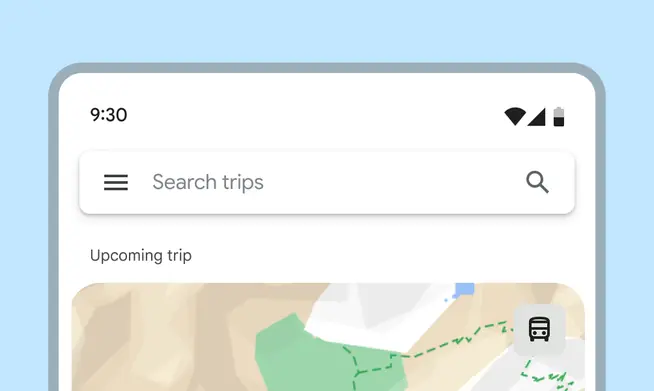
M2 open search bars were square and elevated
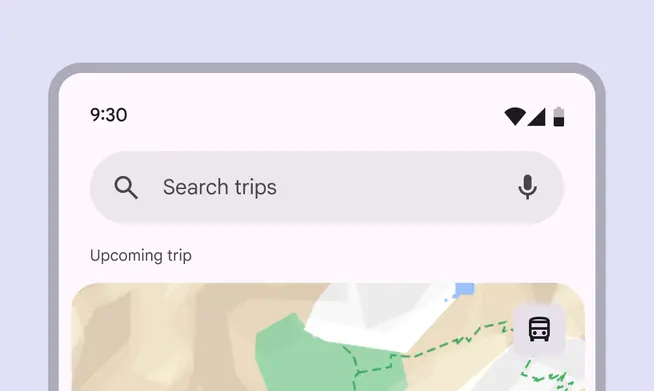
M3 search bars are rounded, use tonal surface, and support dynamic color